
Introduction: Common Vulnerabilities and Proven Solutions
Imagine waking up one morning to discover that your website has been replaced with spam links, malicious advertisements, or worse—a blank screen. For thousands of website owners, this isn’t a hypothetical scenario. Cybercriminals constantly scan the internet for vulnerable websites, and WordPress sites are among their favorite targets.
The good news? WordPress security isn’t about making your website impossible to hack—it’s about making it significantly harder to compromise than the next target. While WordPress powers over 40% of websites worldwide, its popularity also attracts attackers looking for outdated plugins, weak passwords, and poorly configured websites.
Why WordPress Websites Become Vulnerable
Contrary to popular belief, WordPress core is remarkably secure. The real security risks usually come from the surrounding ecosystem.
The biggest contributors include:
- Outdated WordPress versions
- Vulnerable plugins
- Poorly coded themes
- Weak passwords
- Misconfigured hosting
- Lack of regular backups
- Excessive administrator privileges
Think of WordPress as a secure house. The doors and walls are strong, but leaving the windows open makes the entire house vulnerable.
Common WordPress Security Vulnerabilities
1. Outdated Core, Plugins, and Themes
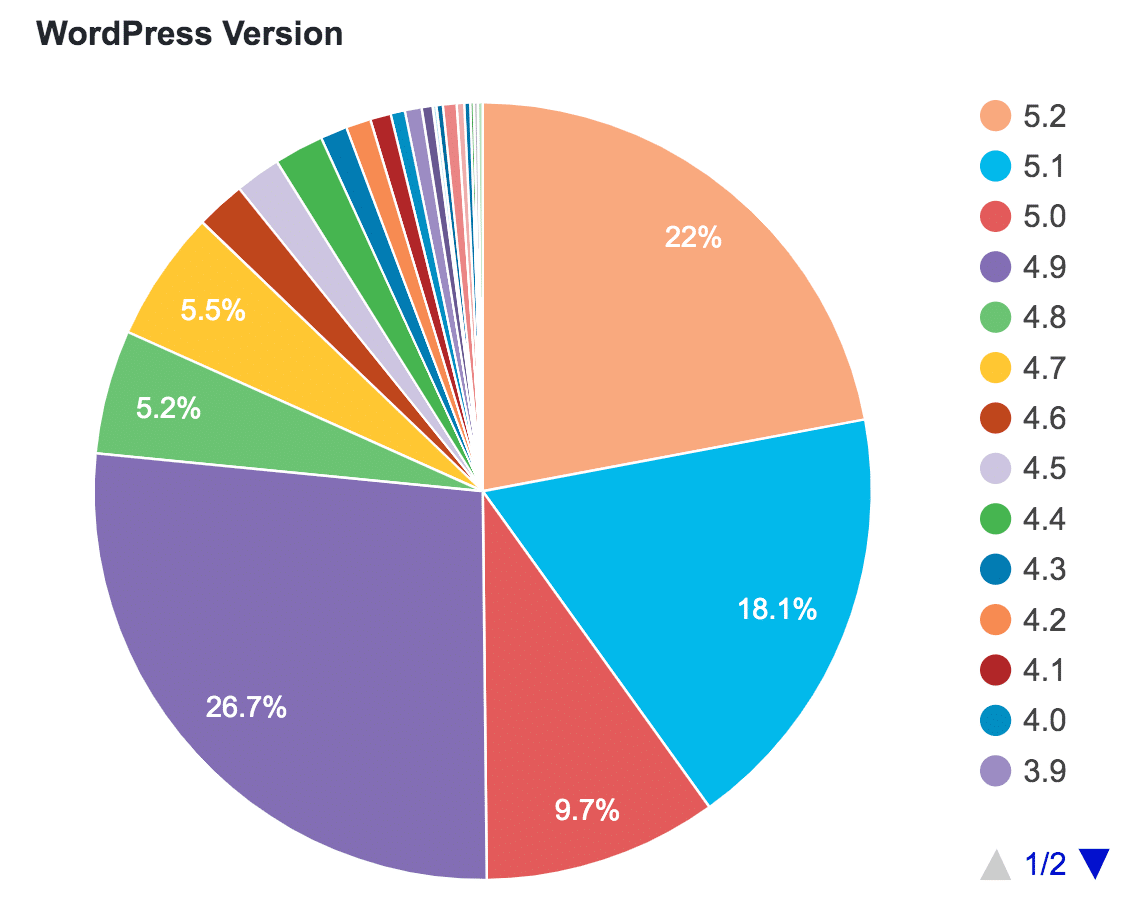
The majority of compromised WordPress websites are running outdated software.
Developers regularly release security patches after vulnerabilities are discovered. Delaying updates gives hackers time to exploit publicly known weaknesses.
Solution
- Enable automatic updates where appropriate
- Remove unused plugins and themes
- Update WordPress regularly
- Monitor plugin changelogs for security fixes
2. Weak Passwords and Poor Login Security
Passwords like:
- admin123
- password
- wordpress123
are still surprisingly common.
Attackers use automated bots capable of testing thousands of password combinations every minute.
Solution
- Use unique passwords with password managers
- Enable Two-Factor Authentication (2FA)
- Limit failed login attempts
- Disable the default “admin” username
3. Vulnerable Plugins
Plugins extend WordPress functionality but also increase the attack surface.
Poorly maintained plugins may contain vulnerabilities such as:
- SQL Injection
- Cross-Site Scripting (XSS)
- Remote Code Execution
- File Upload Exploits
Solution
Before installing a plugin, check:
- Last update date
- Number of active installations
- User reviews
- Developer reputation
- Compatibility with your WordPress version
Quality matters more than quantity.
4. SQL Injection Attacks
SQL Injection occurs when attackers manipulate database queries through insecure forms or plugin vulnerabilities.
Consequences include:
- Data theft
- Administrator account creation
- Website takeover
- Database deletion
Solution
- Use reputable plugins
- Keep software updated
- Deploy a Web Application Firewall (WAF)
- Conduct regular vulnerability scans
5. Cross-Site Scripting (XSS)
XSS attacks inject malicious JavaScript into websites.
These scripts can:
- Steal cookies
- Hijack user sessions
- Redirect visitors
- Display fake login pages
Solution
Developers should properly sanitize and validate user input.
Website owners should:
- Update plugins promptly
- Install trusted security plugins
- Remove abandoned themes
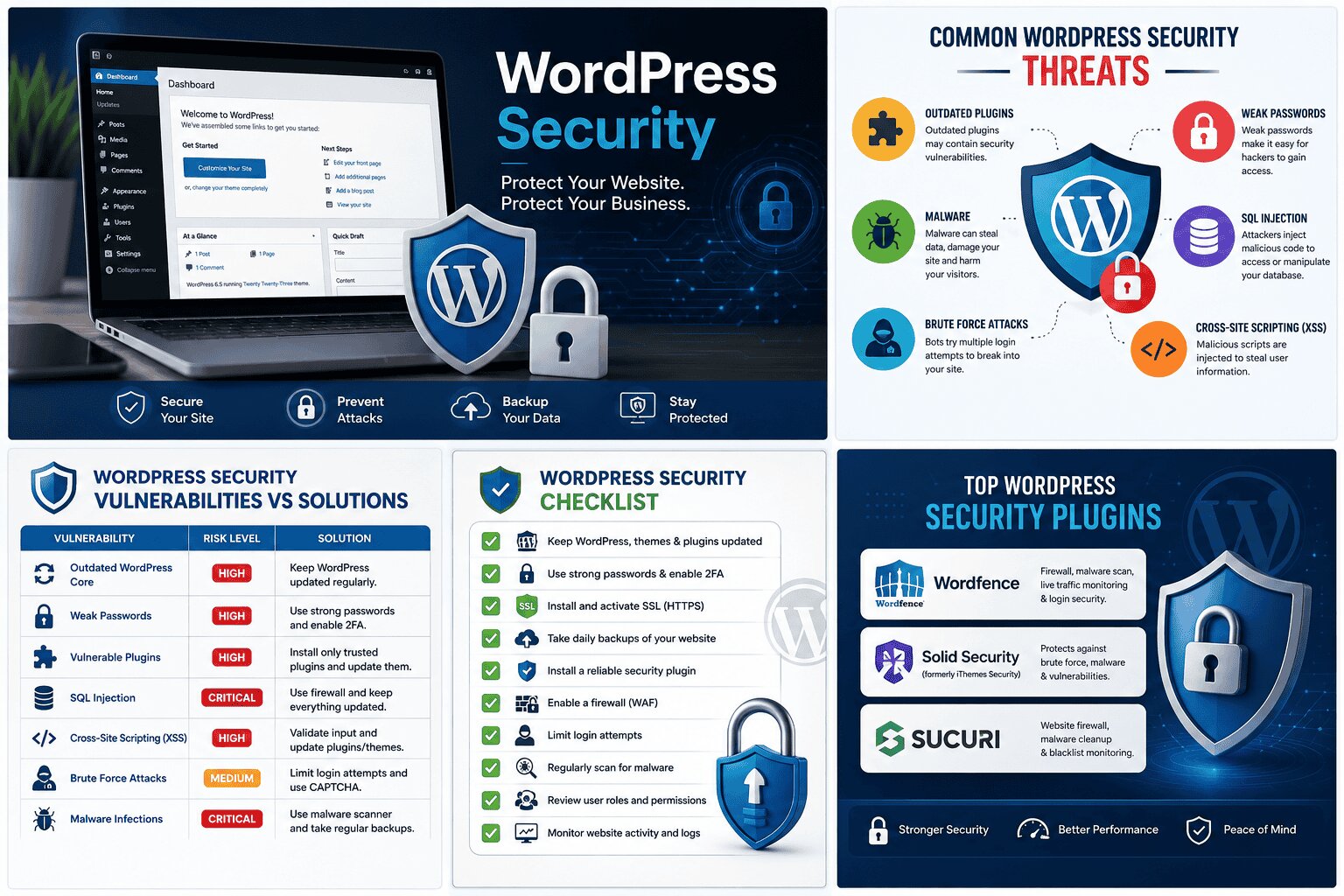
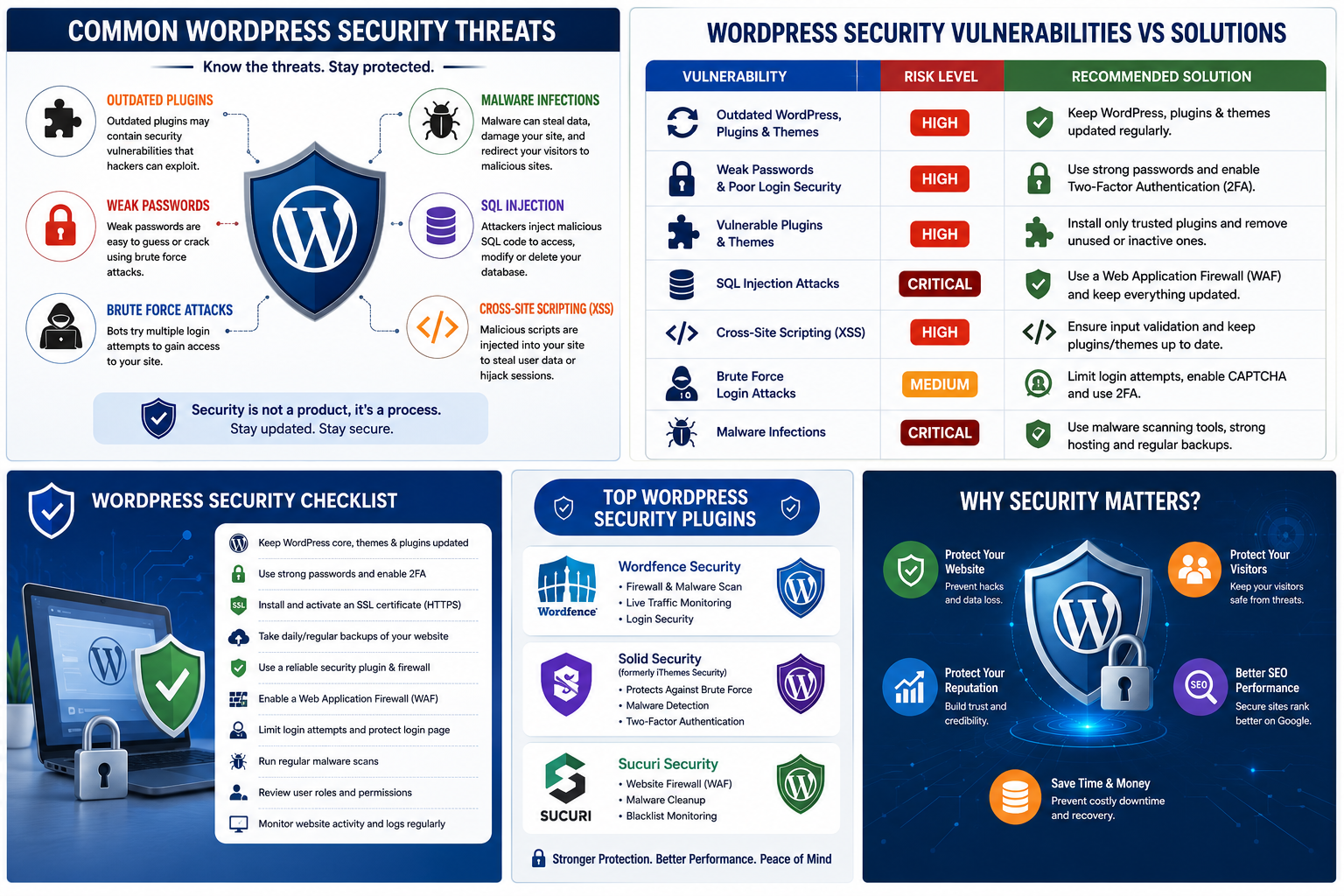
| Vulnerability | Risk Level | Recommended Solution |
|---|---|---|
| Outdated WordPress | High | Enable updates |
| Weak Passwords | High | Strong passwords + 2FA |
| Vulnerable Plugins | High | Install trusted plugins only |
| SQL Injection | Critical | Firewall + secure coding |
| XSS | High | Input validation + updates |
| Brute Force | Medium | CAPTCHA + login limits |
| Malware | Critical | Malware scanning + backups |
Best Practices for WordPress Security
Choose Secure Hosting
A quality hosting provider offers:
- Malware monitoring
- Automatic backups
- Web Application Firewall
- Server-side security patches
- DDoS protection
Cheap hosting often costs more after a security incident.
Install a Security Plugin
Trusted security plugins provide:
- Firewall protection
- Malware scanning
- Login security
- File integrity monitoring
- Security alerts
Popular choices include:
- Wordfence
- Solid Security (formerly iThemes Security)
- Sucuri Security
Suggested Image: Screenshot comparing popular WordPress security plugins.
Enable SSL Encryption
HTTPS protects:
- Login credentials
- Payment information
- Contact forms
- User sessions
It also improves visitor trust and supports SEO.
Perform Regular Backups
No security strategy is complete without backups.
Follow the 3-2-1 backup rule:
- Three copies of your data
- Two different storage locations
- One off-site backup
If your site is compromised, a recent backup can dramatically reduce downtime.
Use Least Privilege Access
Not everyone needs Administrator access.
Assign users based on responsibilities:
- Subscriber
- Contributor
- Author
- Editor
- Administrator
Limiting permissions reduces internal security risks.
Emerging WordPress Security Trends
Cybersecurity continues evolving, and WordPress site owners should stay ahead of new threats.
Emerging trends include:
AI-Powered Attacks
Hackers increasingly use artificial intelligence to automate vulnerability discovery and password guessing.
AI Security Monitoring
Modern security tools leverage machine learning to detect unusual login patterns and suspicious behavior faster than traditional rule-based systems.
Supply Chain Attacks
Instead of attacking websites directly, attackers compromise plugins, themes, or developer accounts to distribute malicious updates.
Zero-Day Vulnerabilities
Occasionally, vulnerabilities become public before patches are available. Subscribing to WordPress security advisories helps administrators respond quickly.
Conclusion
Strong WordPress security isn’t achieved through a single plugin or one-time setup—it’s an ongoing process of maintenance, monitoring, and continuous improvement.
One of the biggest misconceptions is that only large websites get hacked. In reality, automated bots target websites of every size, often without knowing who owns them. They simply search for vulnerabilities, and any unprotected site can become an easy target.
The encouraging news is that the vast majority of attacks exploit preventable issues like outdated software, weak credentials, or neglected plugins. By keeping your WordPress installation updated, using trusted extensions, enabling multi-factor authentication, performing regular backups, and choosing secure hosting, you can dramatically reduce your risk.
Security isn’t just about protecting your website—it’s about safeguarding your visitors, your reputation, and the trust you’ve worked hard to build.